More flexibility for feedbacks in productionAssist Feedback workstations
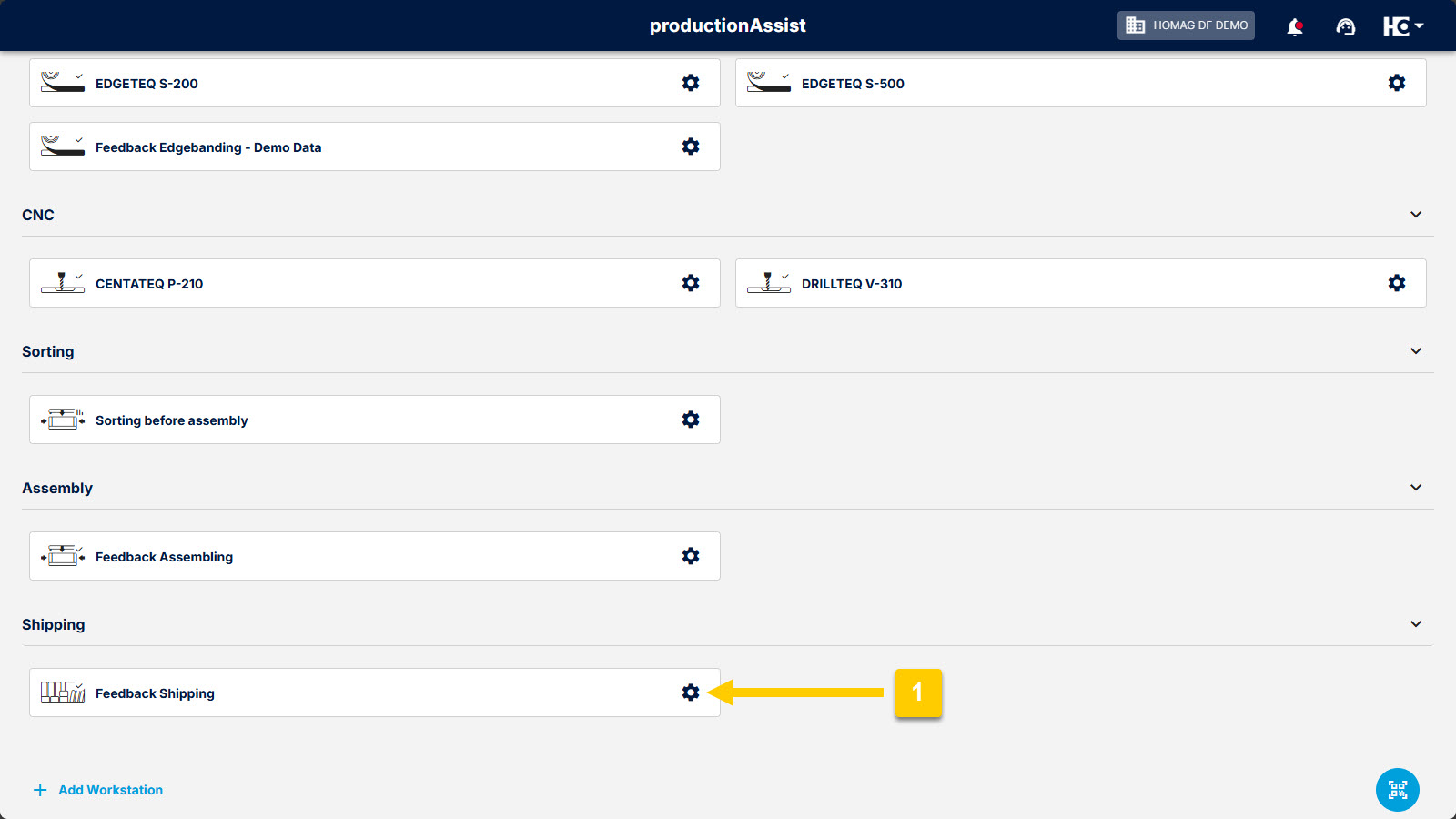
Open the configuration of the feedback workstation (1).
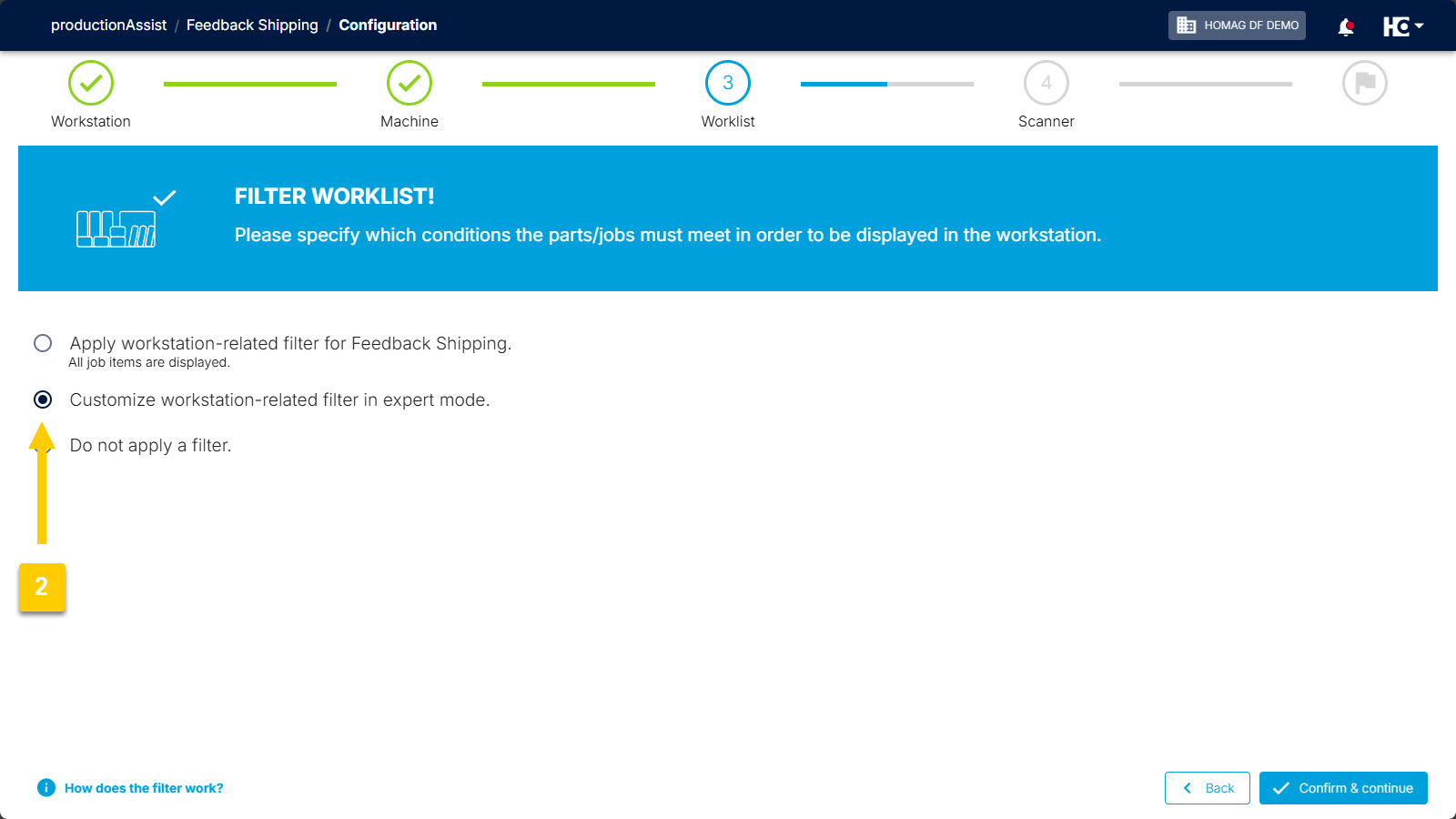
In the "Worklist" step, select option (2) "Customise workplace-related filter in expert mode."
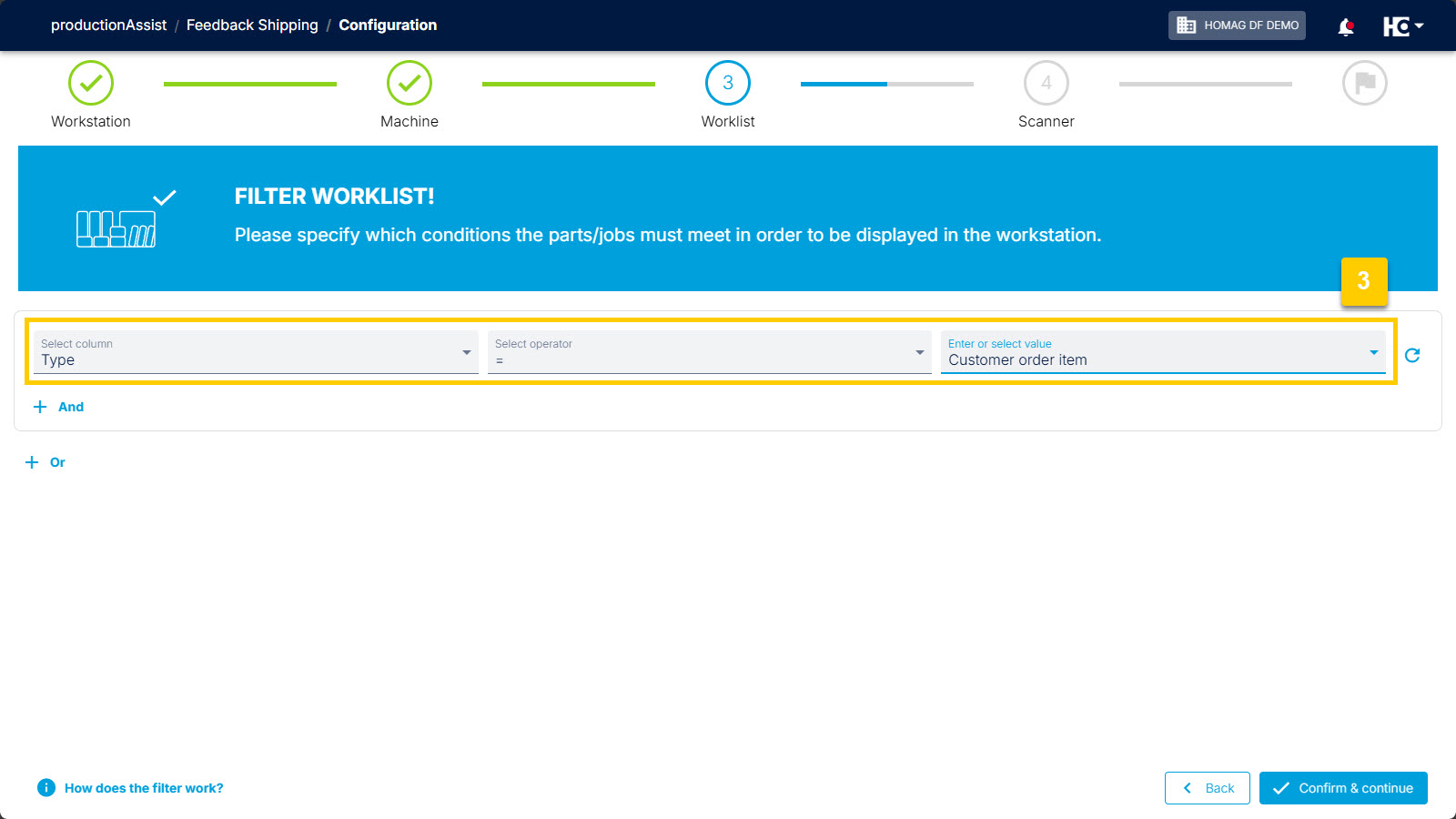
Specify the level at which the feedback should be made. Here: at level (3) "Customer order item".
From now on, you can individually specify for each productionAssist feedback workstation at which level feedback should be provided – for example, at order item, assembly group or part level. If, for example, you select the "customer order item" level, a confirmation is automatically generated for the entire higher-level order item when a part is scanned or manually reported as finished. This means you no longer have to confirm each part individually.
In short: feedback is always generated at the level you have set for the respective feedback workstation.
The level can be specified in the configuration of the feedback workstation under "Worklist". Here you can filter the desired level using the "Type" field. The following levels are available:
- customer order item (article)
- assembly unit
- production order (part)
The upper sequence of images shows how you can set the "Shipping" feedback workstation to confirm at order item level.
Back to List