Automatic calculation of laminates
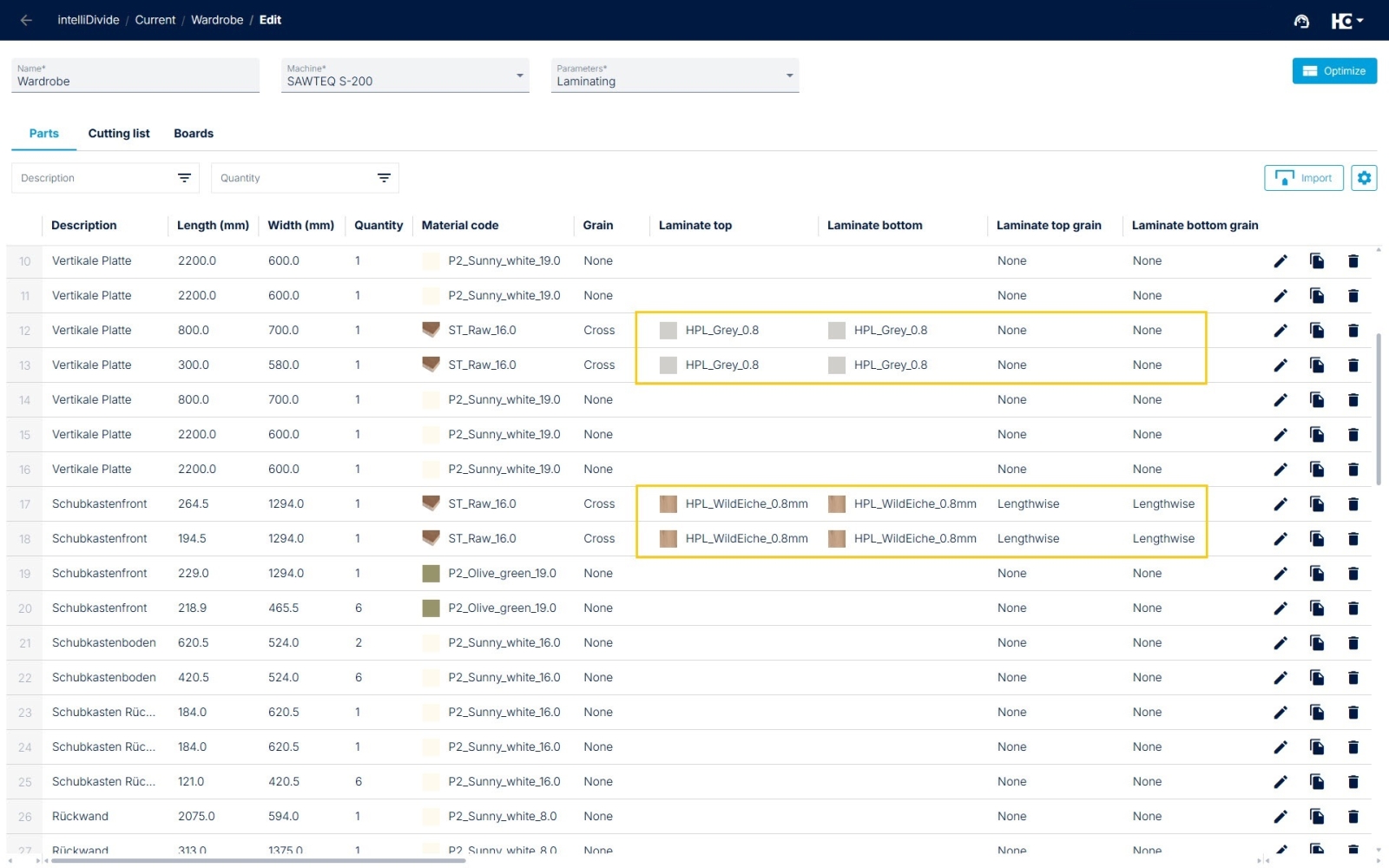
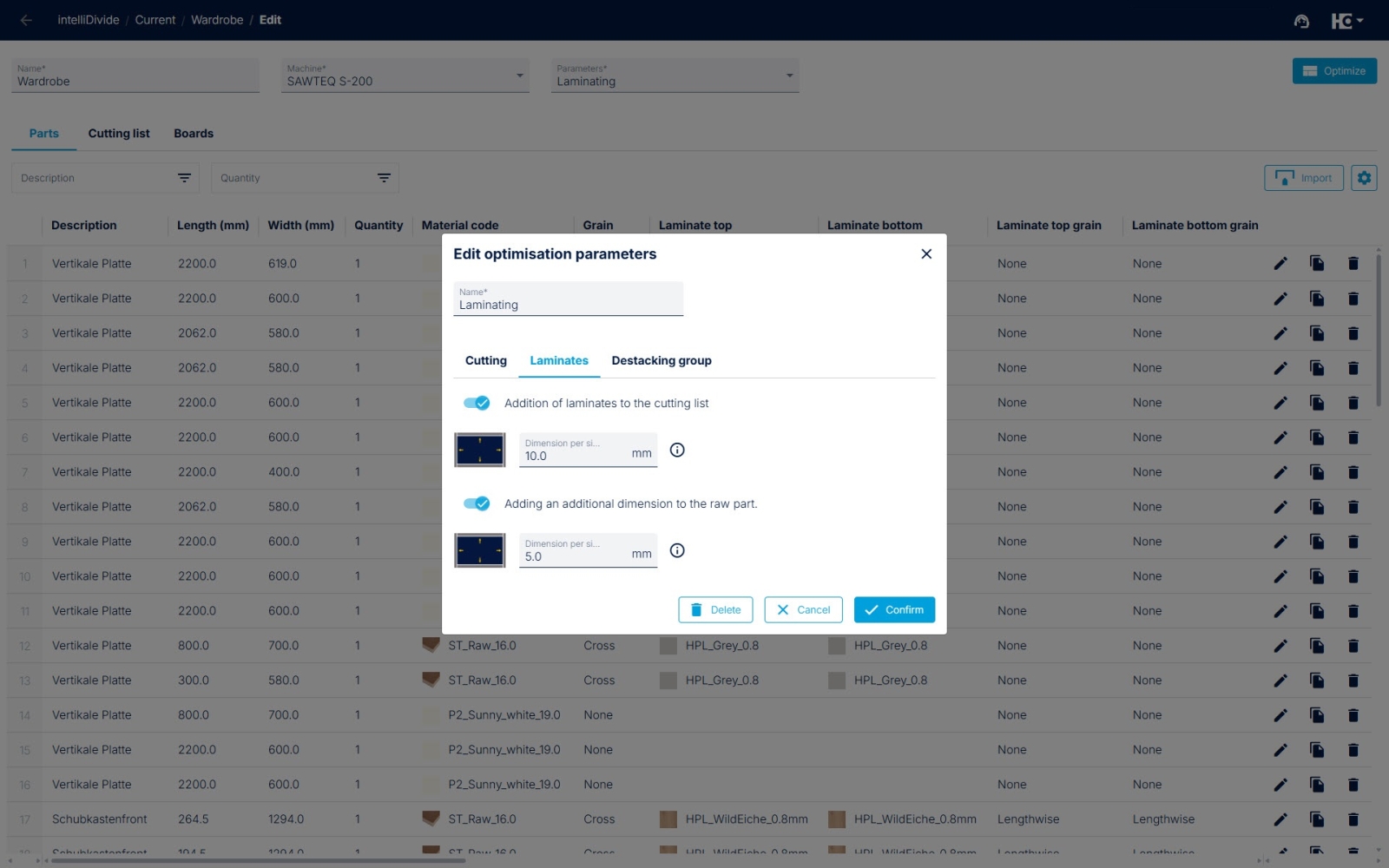
Specification of the material for the top and bottom laminates in the parts list.
Activation of laminate calculation in the optimization parameters.
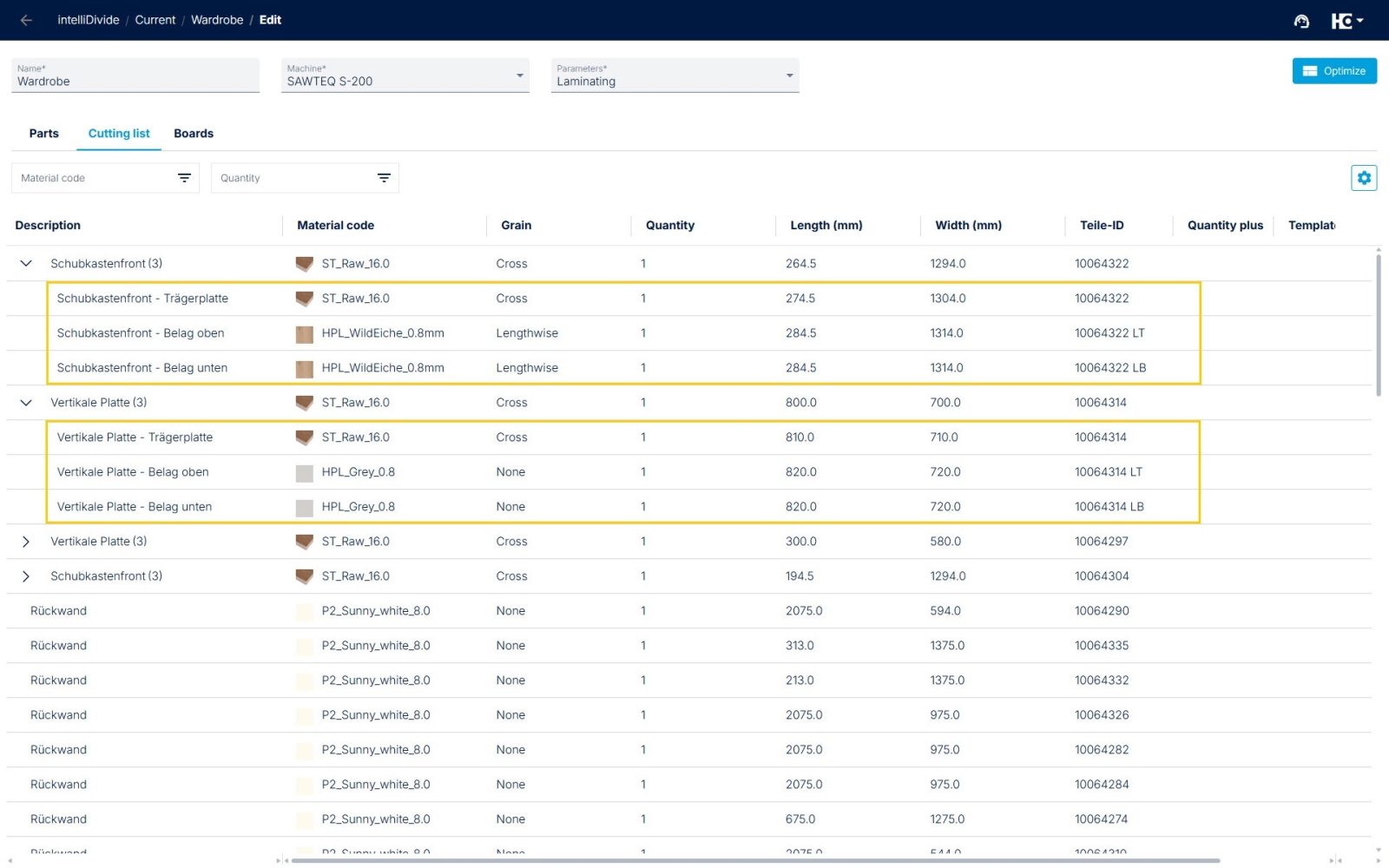
Display of additional laminate parts in the cutting list.
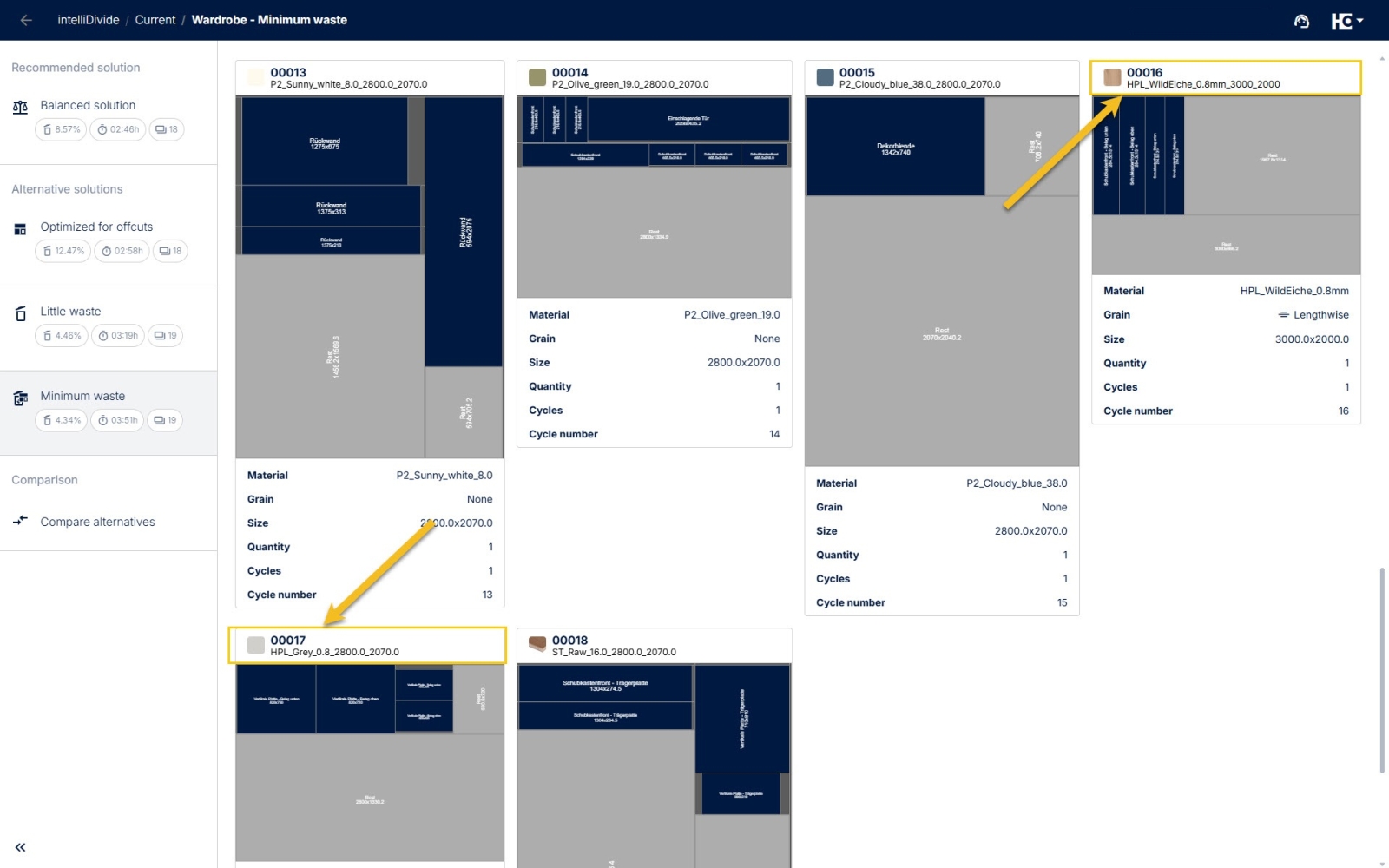
Calculation of cutting plans for board material and laminates.
Would you like to laminate some parts yourself, but your CAD/CAM system does not automatically include these additional laminates in the parts list? From now on you can have intelliDivide calculate the laminates automatically.
There are just two things to consider:
- Activate the “Laminate top” and “ Laminate bottom” columns in the parts list in intelliDivide. Now select the material code for the top laminate and bottom laminate in these fields, like to the material code of the parts material. Optionally, the field for the grain direction of the laminates can also be used, for example, to achieve a “crosswise coating” of the carrier part.
- In the optimization parameters, you will find a new tab called “Laminates.” Here, you must now activate “Addition of laminates to the cutting list.” In addition, you can specify the allowance for the laminates and activate the allowance for the raw part and specify the allowance dimension here as well.
In intelliDivide, the cutting list is then displayed in addition to the parts list. Here you will find the laminates calculated for each carrier part, including their dimensions. Finally, the optimization can now be started
Back to List