
Enter interface license
To send an order, including the bills of materials, directly to productionManager, you must enter a license key in the partner’s software. Only with this license key can the software determine which user (subscription) the data should be sent to.
This authorization key - known as an access token - is generated in My tapio. There, it is copied and pasted into the appropriate field in the partner software.
The following example illustrates the process using the ERP software OSD by CRAFTVIEW.
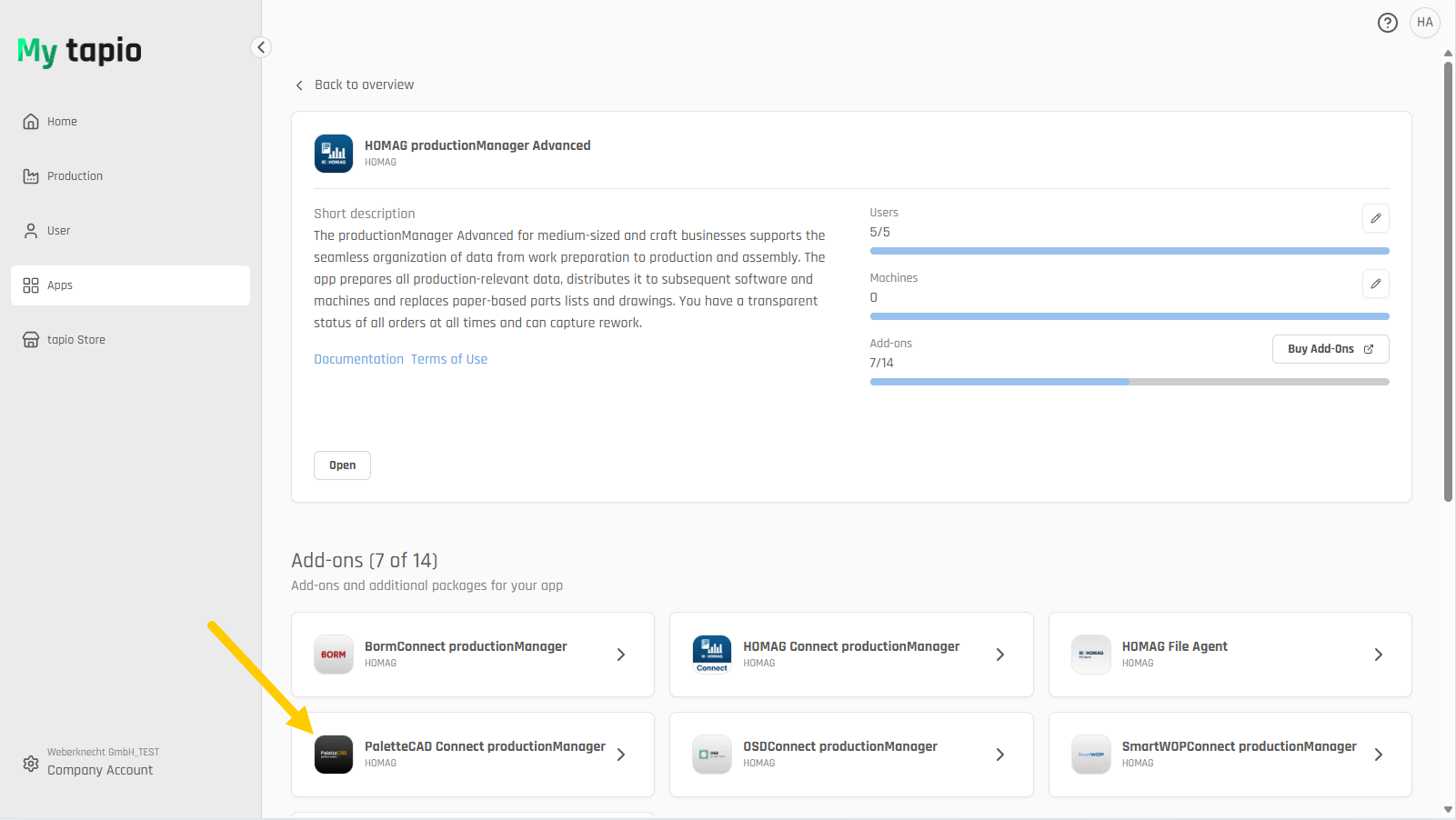
Select the OSD Connect productionManager option in My tapio.
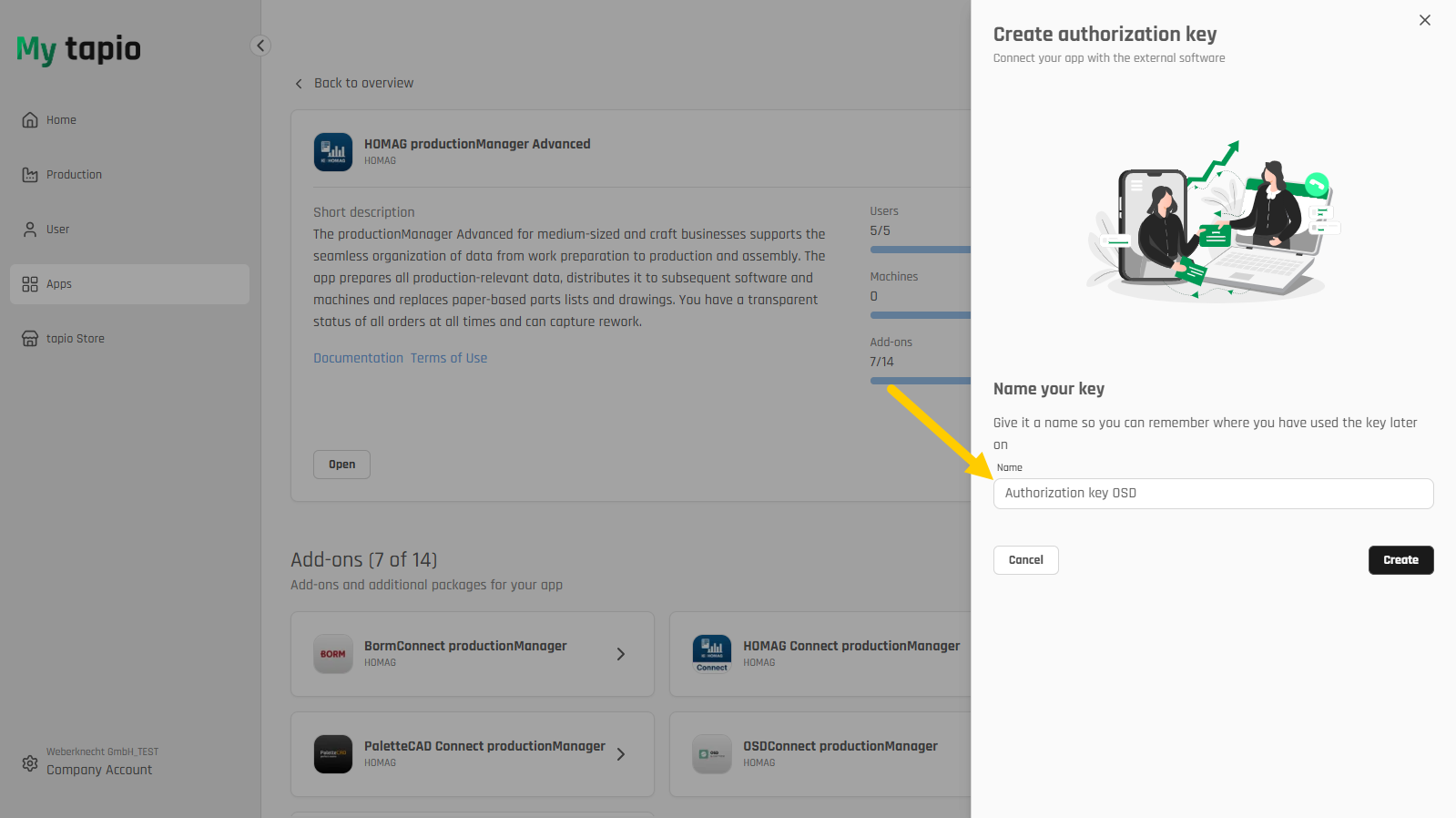
Create an authorization key.
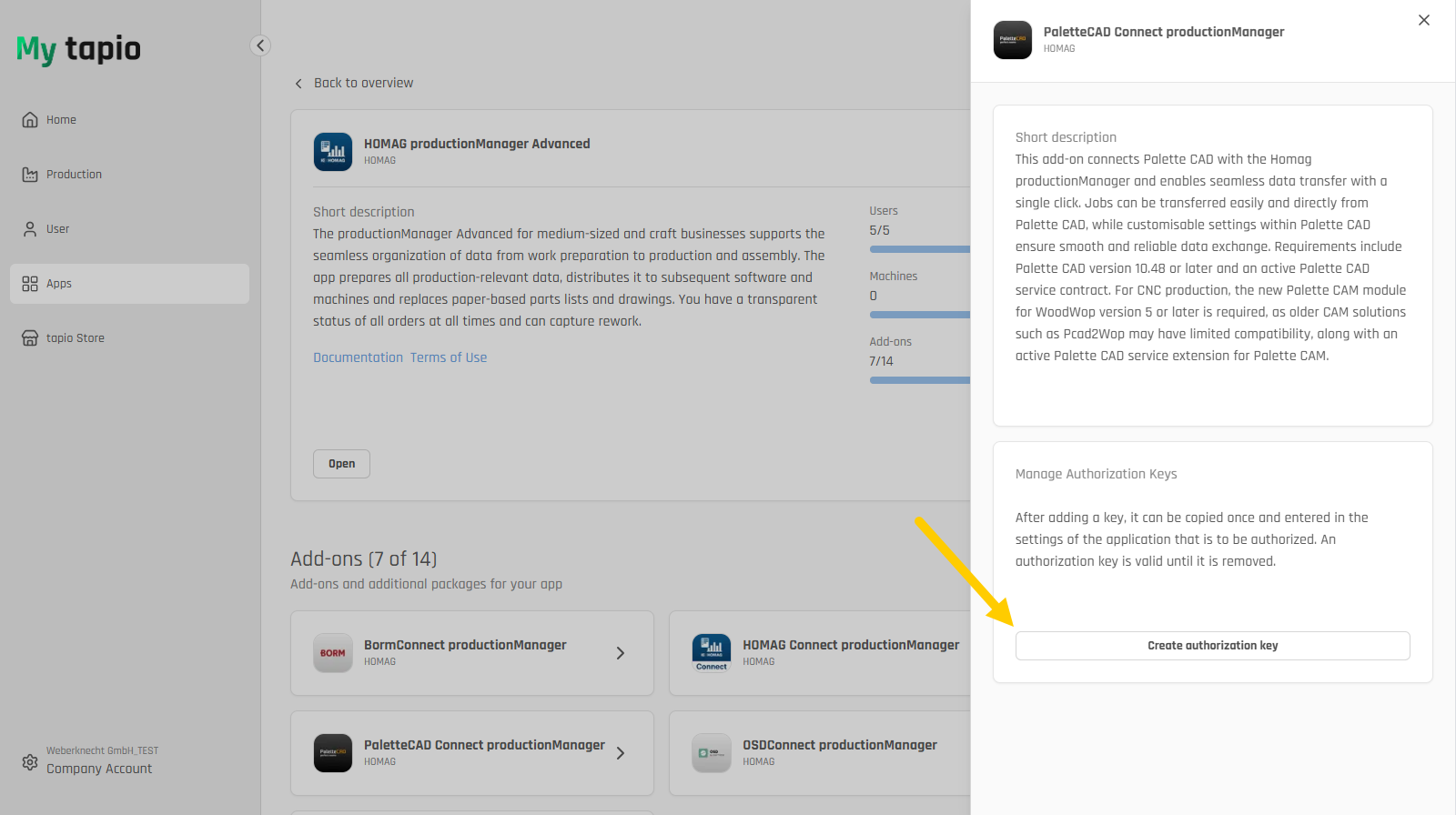
Assign a name and then create the authorization key.
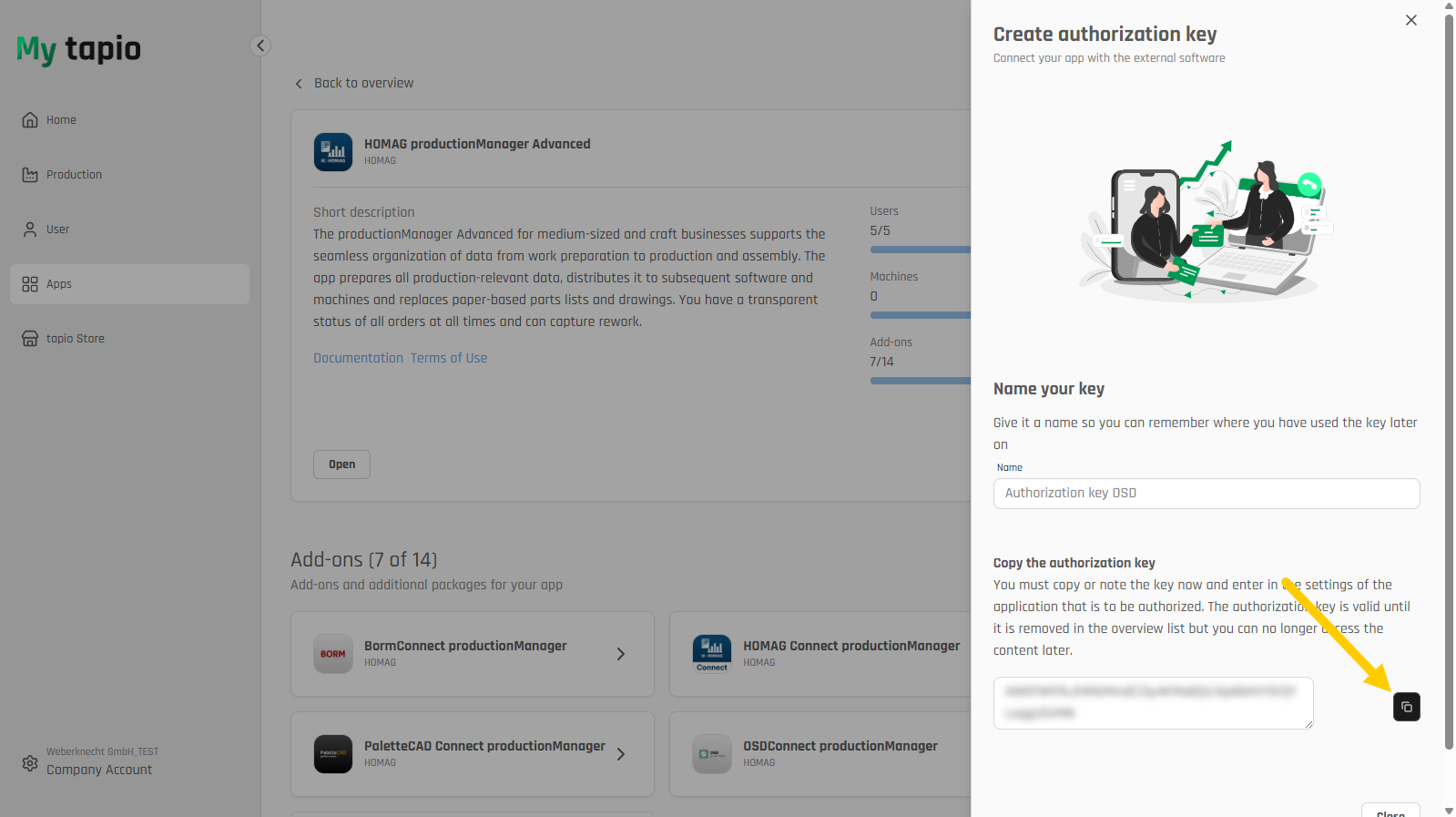
The generated key is displayed and must be copied by clicking on it.
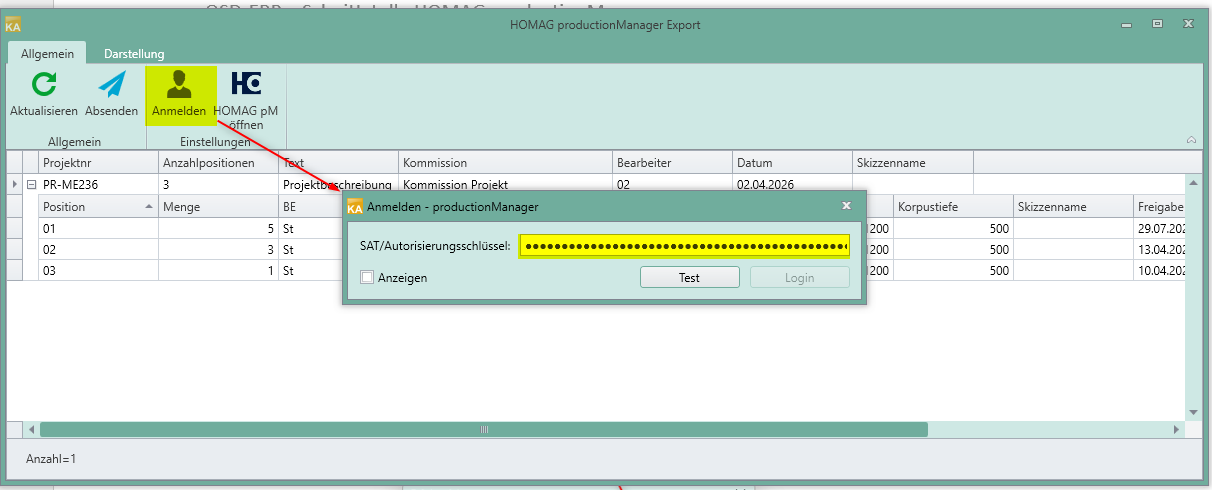
Inserting an authorization key.
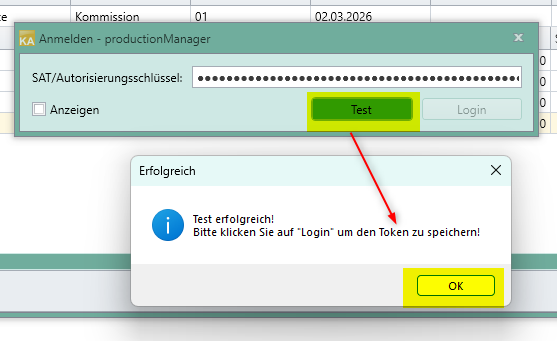
Testing an authorization key.
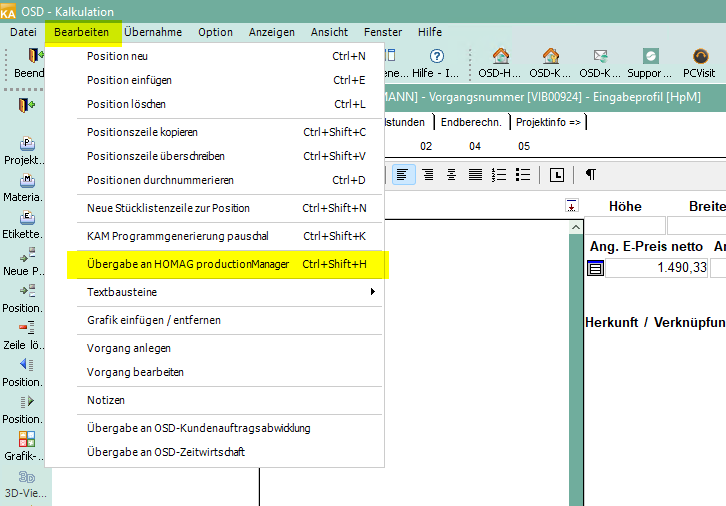
Transfer to HOMAG productionManager in OSD.