
Installation variants
The sR Bridge is designed for three different installation configurations, depending on whether you want to operate the sR Bridge within a shop floor network, for one or more individual machines, or within a HOMAG machine network.
Shop Floor Network Configuration with TSN and ISN Connections
sR Bridge with HOMAG individual machines using TSN Soft or ISN Remote Diagnosis (Windows XP and later): The machines to be connected and the sR Bridge are located on the same customer network. On the machines, remote diagnostics can still be started using the existing shortcut after the serviceRemote Starter update. In this case, the external button is not required.
Note: Works with Windows XP, Windows 7, and Windows 10.
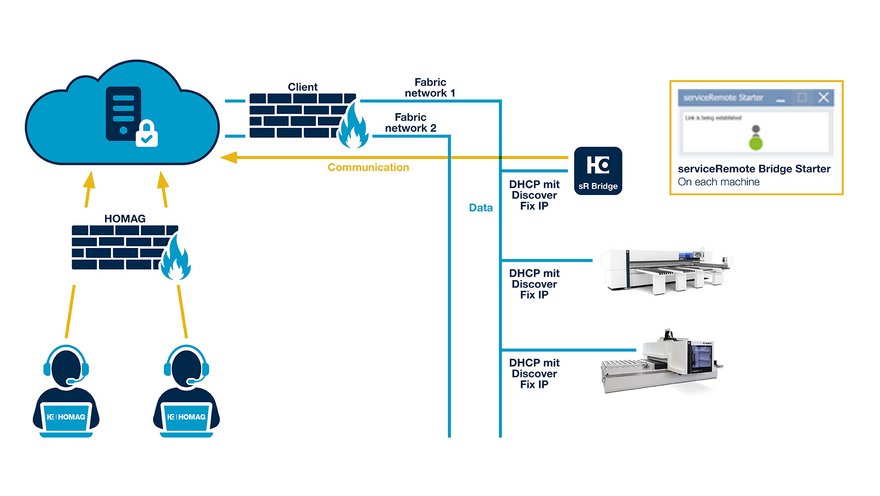
Integration of sR Bridge with TSN + ISN Soft
Shop Floor Network – Linux & Older Operating Systems
sR Bridge with HOMAG stand-alone machines running Linux and operating systems older than Windows XP. The machines to be connected and the sR Bridge are located on the same customer network. After the update, the previous method for starting remote diagnostics no longer works on the machines because the operating system is too old. To start remote diagnostics, the external button must be used.
Note: Applies to Linux, Windows 98, Windows 95, Windows 3.11, and older operating systems.
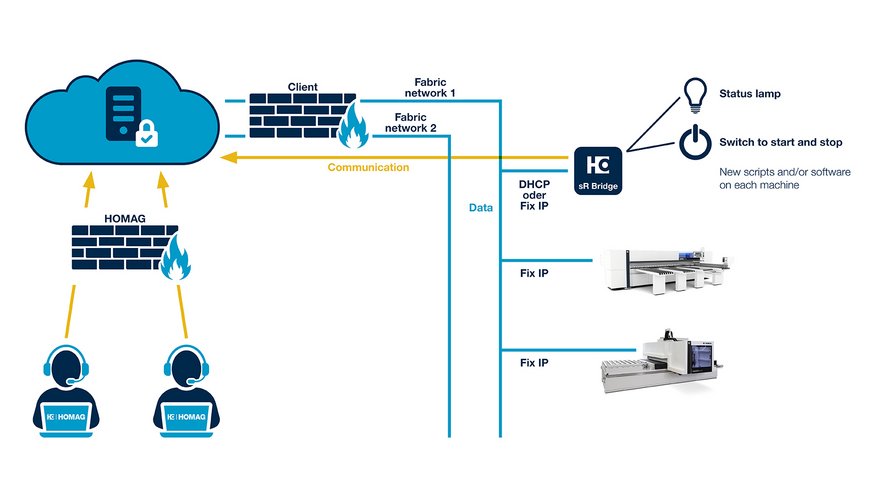
Integration of sR Bridge Linux and the legacy operating system
HOMAG Cisco Router Option
sR Bridge within the HOMAG machine network with an Internet router and/or NAT routers. The sR Bridge should preferably be connected to the Internet router or to a NAT router. On the machines, remote diagnostics can still be started using the existing shortcut after the serviceRemote Starter update. In this case, the external button is not required.
Note: Works with Windows XP, Windows 7, and Windows 10
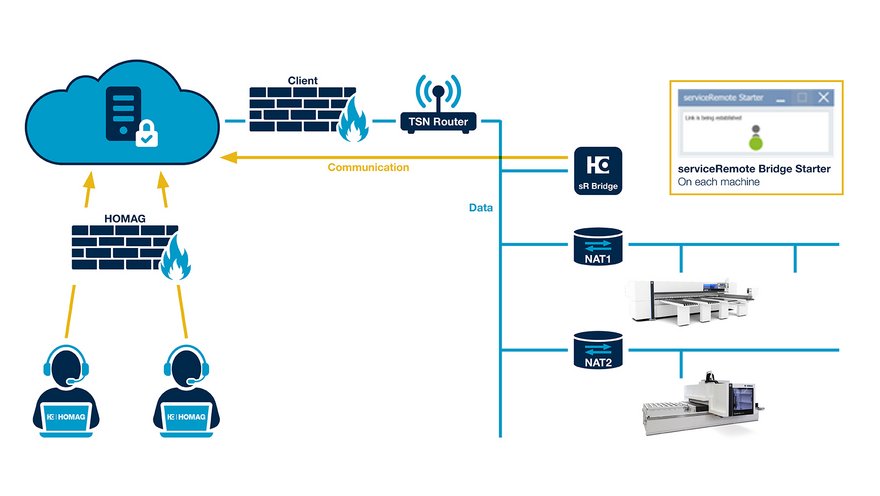
Connecting the sR Bridge with a TSN Router