Bidirectional integration: Master data can be transferred from materialManager to woodStore
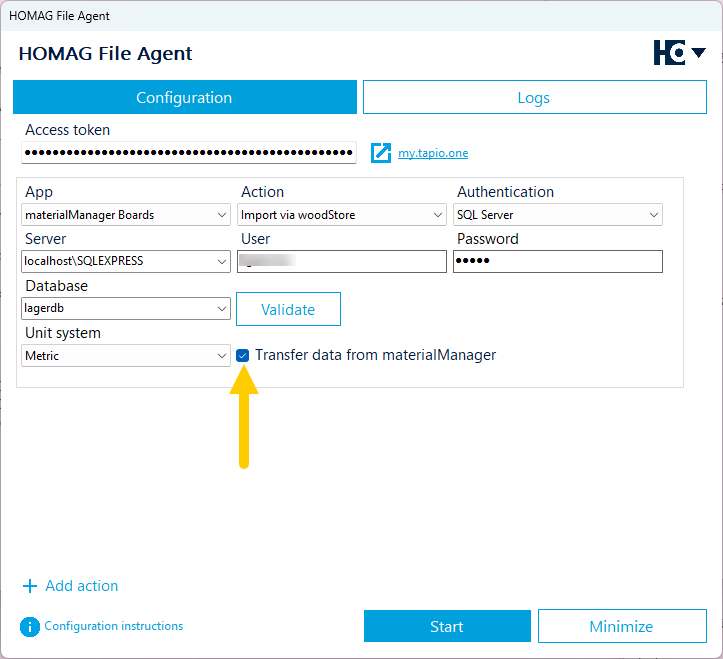
Option to transfer data from materialManager in File Agent
With the existing integration, board types with their inventory could already be imported from woodStore into the materialManager. From now on, the integration goes one step further: board master data can now also be transferred from the materialManager to woodStore.
You continue to create, edit, and delete your material master data centrally in the materialManager as usual. All changes are automatically transferred to woodStore via the HOMAG File Agent and updated accordingly. This creates a consistent data flow between work preparation and storage – without the need for double data maintenance.
Requirements for usage
To enable the transfer of master data to woodStore, the option “Transfer data from materialManager” must be activated in the HOMAG File Agent. The feature is available starting from version 1.1.180.0 of the HOMAG File Agent. If an older version is in use, the HOMAG File Agent can be updated accordingly.
Limitations for existing stock and reservations
If boards are already stored in woodStore or if reservations exist for a material, certain properties – such as board code, material code, length, width, thickness and grain – cannot be modified. If these properties are modified, changes are automatically rejected by woodStore and the affected values are reset to their original state. This ensures that existing storage processes and reservations remain consistent.
Back to List