Improved design for pattern overview
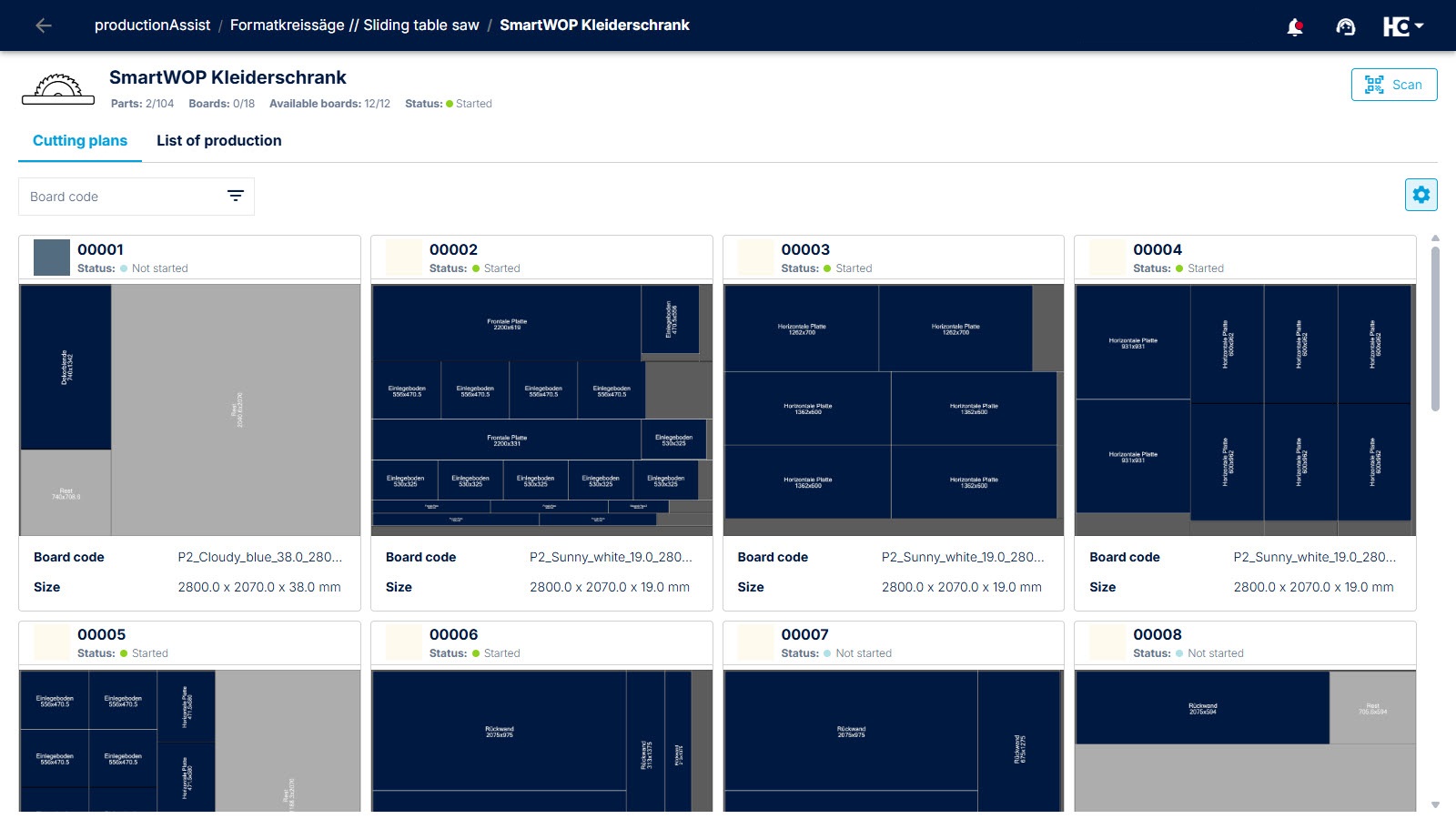
Clear presentation of cutting plans with additional information such as board code, panel size, and status.
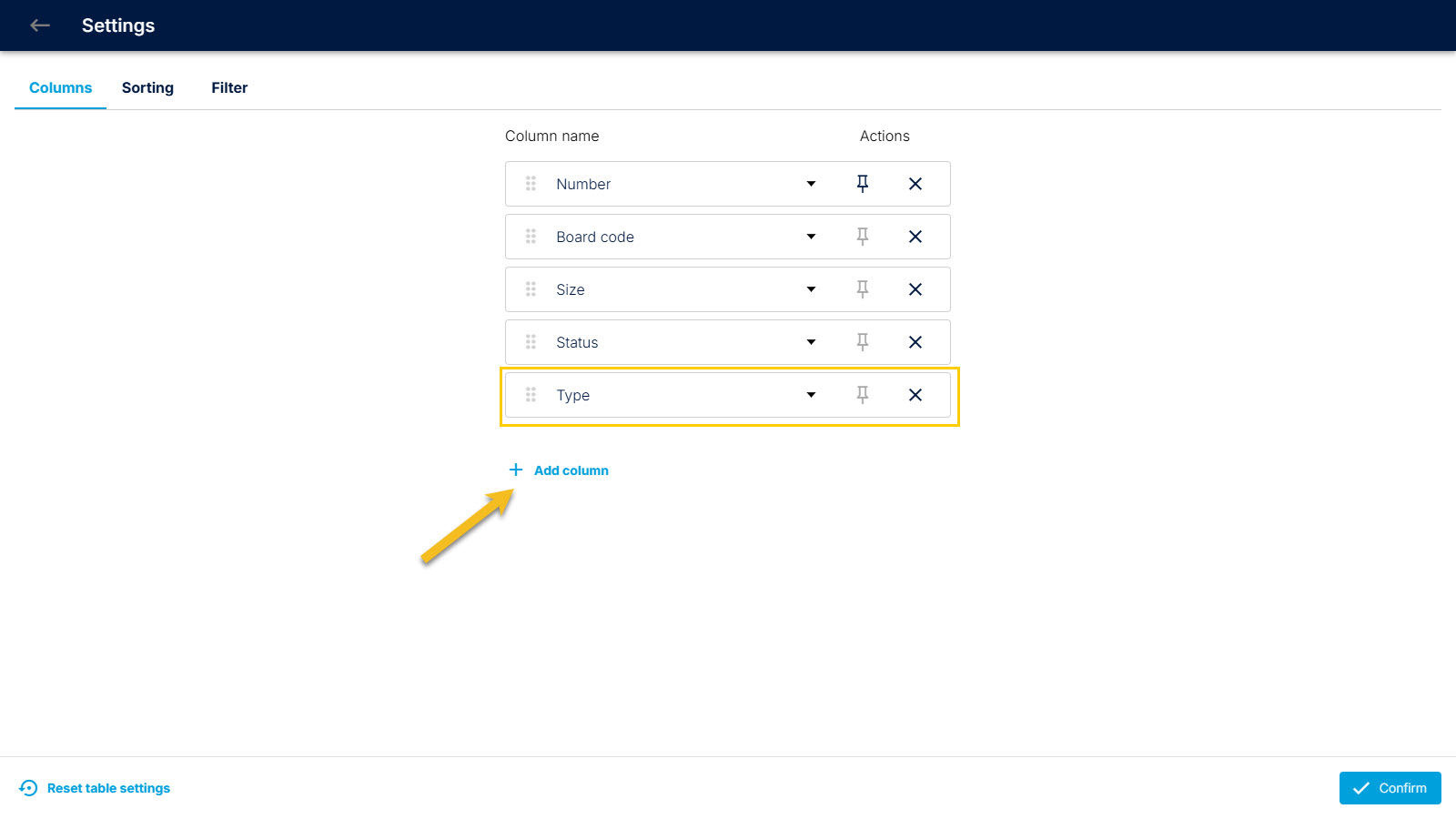
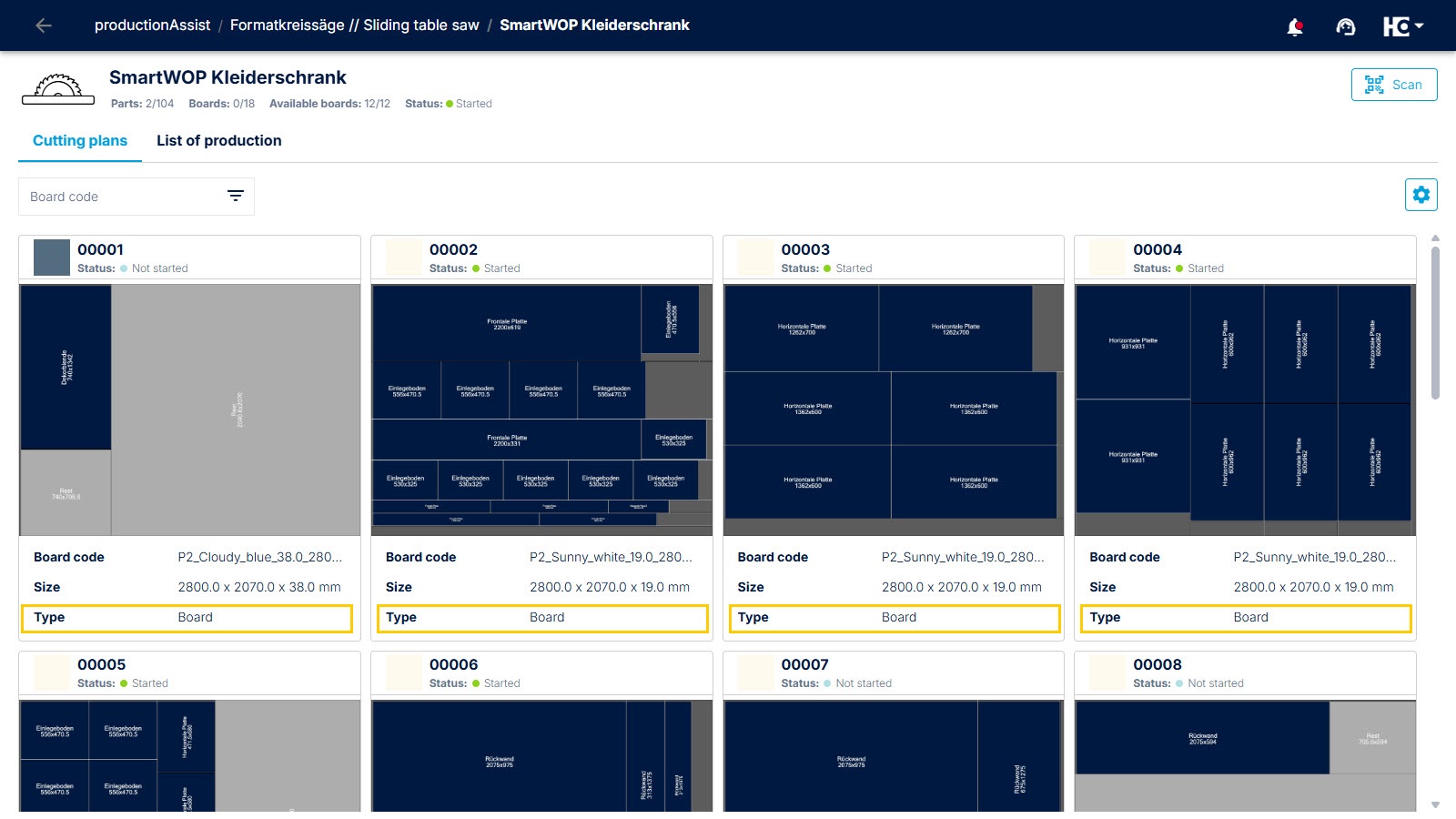
Using the settings menu in the top right corner, you can individually specify which additional properties are displayed in the overview, e.g., type (board or offcut).
The additional property “Type” is now displayed.
The page design has been modified to provide a better overview of the cutting plans within an open productionAssist order. In addition to the uniform size of the cutting plans, important additional information is now displayed above and below each individual plan.
Furthermore, additional properties can be displayed via the settings.
!! IMPORTANT NOTE !!
To ensure that the data from intelliDivide is displayed correctly, it is essential to update the app version of productionAssist. This applies to both iOS and Android devices. If you use productionAssist in a web browser (Chrome, Edge, Safari), you do not need to do anything else, as the web version is always up to date.
Back to List