More Flexible and Convenient Bill of Materials View
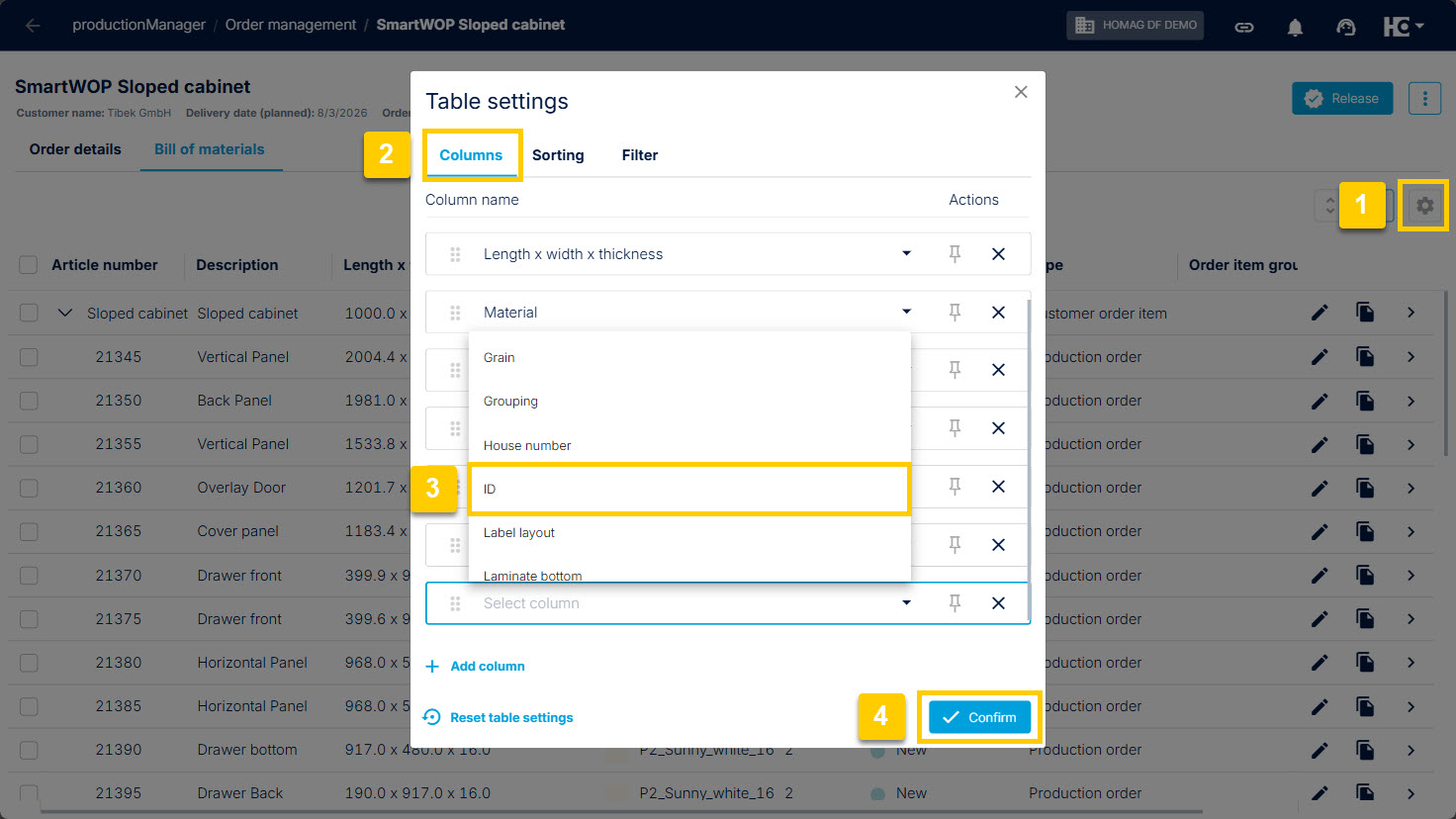
If necessary: Add the "ID" column
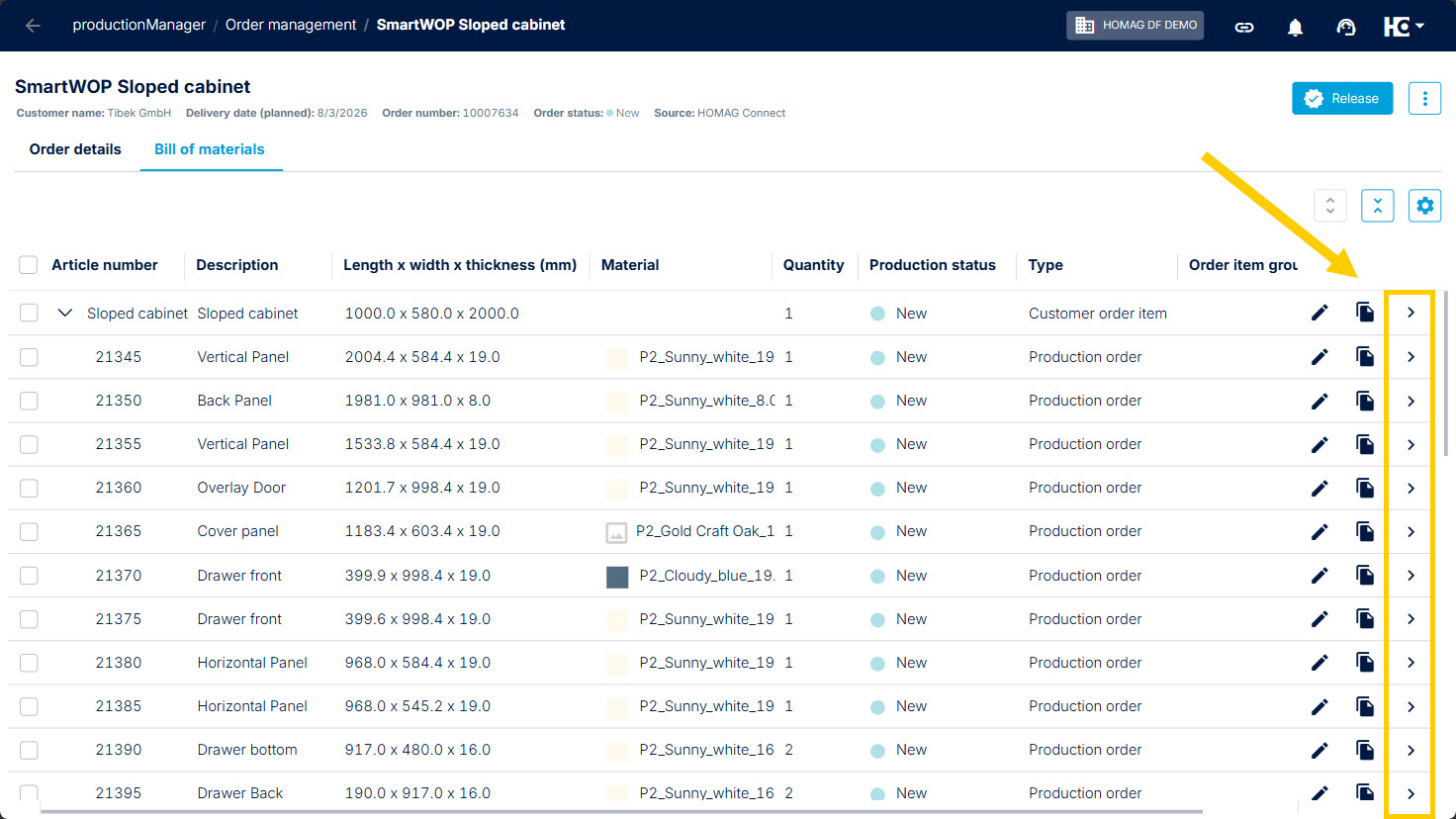
Use arrow icon to open the details
We have improved the bill of materials view in productionManager to provide a cleaner workspace and make working with data more convenient.
The "ID" column is now configurable via Table Settings and is no longer displayed by default. This provides more space for production-relevant information while still allowing users to add the column back whenever needed via the table settings. Please note that all column widths in the bill of materials have been reset to their default values as part of this change. Column widths can be adjusted again at any time according to individual preferences.
In addition, text and cell content can now be copied directly from the bill of materials using Ctrl+C or the browser's Copy function. To support this new behavior, navigation has been adjusted: details are no longer opened by clicking anywhere on a row. Instead, use the arrow icon on the far right side of the row to open the corresponding details.
The bill of materials hierarchy, row selection, and all other table interactions continue to work as before.
Back to List